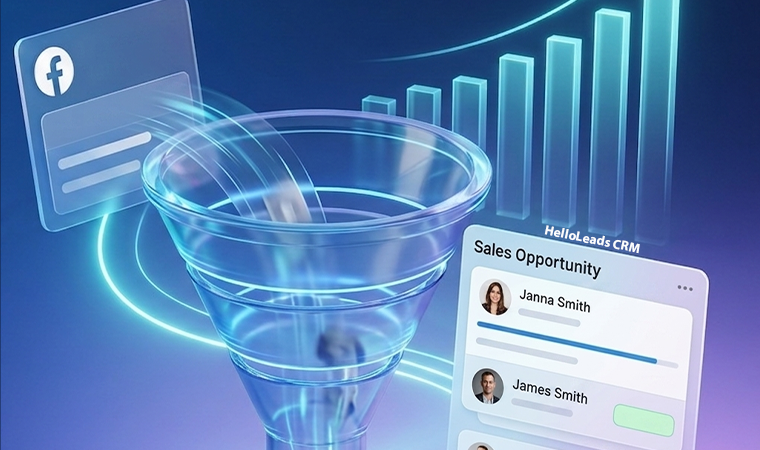
Facebook remains one of the most powerful platforms for lead generation. Businesses invest significant budgets in Facebook Ads to attract potential customers, generate inquiries, and drive sales. However, many organizations unknowingly lose valuable revenue because they fail to respond to and manage leads efficiently.
The issue is often not lead generation – it is lead conversion.
Delayed responses, inconsistent follow-ups, and poor lead tracking can cause potential customers to lose interest and turn to competitors. Every unanswered Facebook lead represents potential revenue that could have become a customer.
The good news is that these losses are preventable with the right lead management process and CRM system.
Why Facebook Leads Go Cold
Generating leads is only the first step. Converting them requires speed, consistency, and organization.
Common reasons businesses lose Facebook leads include:
- Delayed Responses: Today’s customers expect fast and personalized responses. If a lead waits hours or even days for a response, they may already be speaking with a competitor.
- Missed Follow-Ups: Many prospects do not convert after the first interaction. Businesses that fail to follow up consistently often lose qualified opportunities.
- Manual Lead Management: Managing Facebook leads through spreadsheets, emails, or personal notes increases the risk of missed opportunities.
- Lack of Visibility: Without a centralized system, sales teams struggle to track lead status, customer interactions, and follow-up history.
The Cost of Poor Facebook Lead Management

Every lost lead impacts more than just a single sale.
Poor lead management can result in:
- Wasted advertising spend
- Lower conversion rates
- Reduced sales productivity
- Poor customer experience
- Missed revenue opportunities
Businesses may continue increasing their advertising budgets without realizing that the real problem lies in lead conversion rather than lead generation.
How to Convert More Facebook Leads
1. Respond Immediately: The faster you engage a lead, the higher the chances of conversion.
Best Practices include:
- Instant lead notifications
- Quick call-back processes
- Automated acknowledgments
2. Centralize Lead Information
Store all Facebook leads in a single system where sales teams can easily access customer details and interaction history.
Benefits include:
- Better organization
- Improved collaboration
- Faster decision-making
3. Automate Follow-Ups: Many conversion happen after multiple follow-up interactions.
Automated reminders help teams:
- Schedule calls
- Send follow-up messages
- Track pending opportunities
Consistent follow-up ensures leads remain engaged throughout the buying journey.
4. Track Every Interaction: Businesses should maintain complete visibility into:
- Calls
- Emails
- Messages
- Meetings
- Lead status updates
This allows teams to personalize conversations and move opportunities forward effectively.
Why CRM Is Essential for Facebook Lead Conversion
A CRM transforms Facebook lead management from a manual process into a structured sales system.
With CRM, businesses can:
- Capture Leads Automatically: New Facebook leads flow directly into the CRM without manual data entry.
- Assign Leads Quickly: Distribute leads to the right sales representatives immediately.
- Monitor Follow-Ups: Ensure every lead receives timely attention.
- Track Conversion Performance : Measure response times, conversion rates, and sales outcomes.
- Improve Team Accountability : Managers gain visibility into sales activities and lead progress.
CRM helps ensure that valuable Facebook leads never fall through the cracks.
How HelloLeads CRM Helps You Stop Losing Facebook Leads
HelloLeads CRM is designed to help businesses maximize the value of every Facebook lead.
- Facebook Lead Integration: Automatically capture and organize leads generated through Facebook campaigns.
- Instant Lead Alerts: Receive real-time notifications whenever a new inquiry arrives.
- Follow-Up Automation: Schedule reminders and maintain consistent communication with prospects.
- Mobile CRM Access: Manage and respond to Facebook leads from anywhere using your smartphone.
- Lead Tracking: Monitor every interaction and maintain complete visibility into the sales process.
- Team Collaboration: Assign leads, track activities, and improve accountability across teams.
By helping businesses respond faster and follow up consistently, HelloLeads CRM improves conversion rates and reduces revenue leakage.
Turn Facebook Leads into Revenue
Businesses spend time and money attracting Facebook leads. The real opportunity lies in converting those leads into paying customers.
Companies that respond quickly, follow up consistently, and manage leads systematically gain a significant competitive advantage. Those that rely on manual processes often leave revenue on the table.
The difference between successful Facebook campaigns and disappointing results is often not the quality of the leads—it is the quality of the follow-up process.
Conclusion
If your business generates Facebook leads but struggles to convert them, the problem may not be your marketing. It may be your lead management process.
A CRM-powered approach helps businesses capture leads instantly, automate follow-ups, track customer interactions, and improve conversion rates. By eliminating delays and ensuring consistent engagement, businesses can turn more Facebook inquiries into customers and maximize their advertising investment.
Stop Losing Revenue from Facebook Leads Today
Capture every lead, respond faster, and convert more prospects into customers with HelloLeads CRM. Start building a more efficient sales process and maximize the return on your Facebook advertising investment.