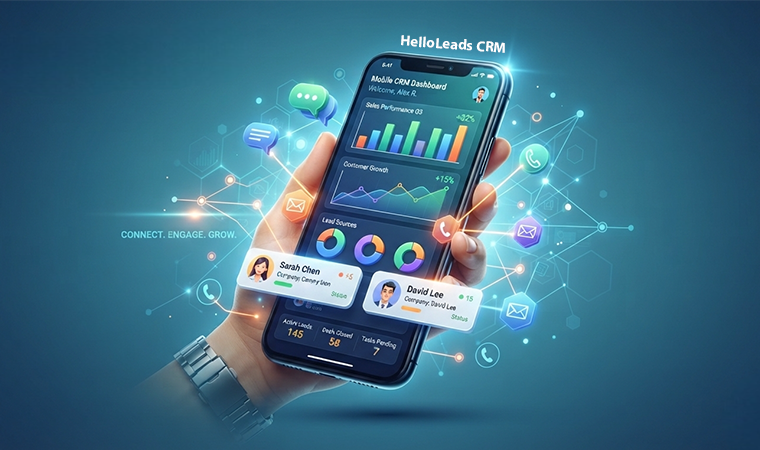
Sales no longer happens only behind a desk. In 2026, salespeople are meeting customers, visiting prospects, attending events, traveling between locations, and working remotely. Yet many businesses still rely on desktop-first CRM systems to manage their sales activities.
For small and medium-sized businesses (SMBs), this creates a practical challenge: a CRM may offer powerful features, but those features are less useful when salespeople cannot access them at the moment they need them.
This is where a mobile-first CRM can make a difference. By bringing lead management, customer information, and follow-up activities directly to smartphones, businesses can help their sales teams stay organized and connected wherever they work.
What Is a Mobile-First CRM?
A mobile-first CRM is designed around the smartphone as a primary tool for managing customer relationships and sales activities rather than treating mobile access as a secondary version of a desktop application.
A salesperson should be able to:
- View customer information and interaction history
- Capture new leads during calls, meetings or field visits
- Record calls and meeting notes
- Set follow-up reminders and tasks
- Update lead status and sales progress
- Review sales activities and upcoming tasks
- Access relevant customer details before a meeting
The goal is simple: make essential sales information available when and where it is needed.
Why Desktop-First CRM Can Be Challenging for Field Sales
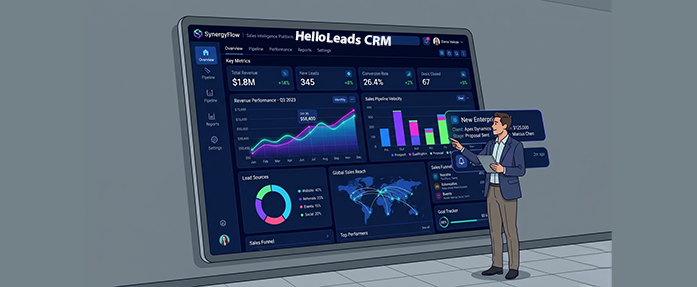
Desktop CRM systems remain valuable for reporting, administration, dashboards, and complex data analysis. However, they can create friction when salespeople need to update information while working outside the office.
Consider a typical sales workflow:
Customer meeting → Take notes → Travel Back → Open laptop → Update CRM → Schedule follow-up
By the time the salesperson enters the information, important details may be forgotten, updates may be incomplete, and follow-ups may be delayed.
A mobile-first workflow looks different:
Customer meeting → Update CRM immediately → Set follow-up reminder → Continue selling
This reduces the gap between a customer interaction and the information recorded in the CRM.
For SMBs with lean sales teams, a simpler workflow can help salespeople spend less time on administrative tasks and more time engaging with customers.
Sales Teams Are Already Using Mobile Technology
Mobile technology has become an important part of modern sales operations. Mobile CRM applications enable sales teams to access customer information, manage leads, record sales activities, and schedule follow-ups while working outside the office.
By updating customer information immediately after calls, meetings, or field visits, salespeople can reduce their dependence on memory, paper notes, and delayed data entry. This helps keep CRM records up to date and makes it easier to manage customer interactions and follow-ups.
For SMBs, mobile CRM is particularly useful because salespeople often handle prospecting, customer meetings, lead management, and follow-ups themselves. Having essential sales tools available on their smartphones can help them manage these responsibilities more efficiently.
What Should a Mobile-First CRM Offer?
Not every desktop feature needs to appear on a smartphone. A good mobile CRM should prioritize the tasks salespeople perform most frequently and make them easy to complete.
1. Fast Lead Capture
Sales opportunities can arise during customer meetings, phone calls, business events, and referrals. A mobile CRM should make it easy to record a new prospect without navigating through multiple screens.
Quick lead capture helps businesses maintain more complete records and reduces the risk of losing valuable opportunities.
2. Customer Information on the Go
Before meeting a customer, salespeople should be able to review previous conversations, customer requirements, pending tasks, and follow-up history.
Having this information readily available helps sales representatives prepare for meetings and maintain continuity in customer relationships.
3. Simple Follow-Up Management
A promising sales conversation is only the beginning. Salespeople must remember to send quotations, arrange demonstrations, share product information, and contact prospects at the right time.
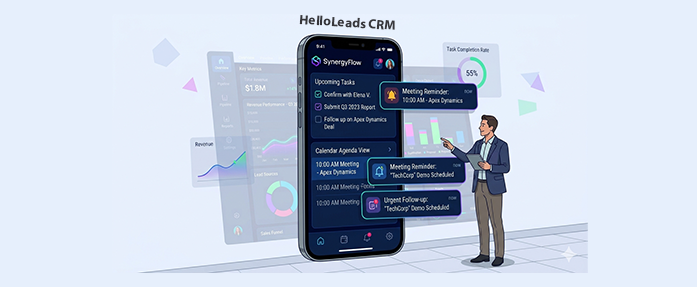
Mobile CRM reminders and task management help salespeople organize these activities and reduce dependence on memory, notebooks, and spreadsheets.
4. Offline Capability
Field salespeople may work in areas with unreliable internet connectivity. Offline access can allow them to record information and continue selected tasks without an active connection, with data synchronized when connectivity returns.
Businesses evaluating a mobile CRM should check whether offline access is available and which features remain usable without an internet connection.
5. Team Visibility
Mobile-first sales should not mean disconnected sales teams. Once information is synchronized, managers and authorized team members should be able to review updated lead details, customer interactions, and sales activities.
This visibility helps teams coordinate follow-ups, identify pending opportunities, and maintain consistent customer communication.
6. A Simple User Experience
A mobile CRM should not simply shrink a desktop interface onto a smaller screen. It should prioritize frequently used actions, reduce unnecessary navigation, and make customer information easy to find.
Mobile-first is about designing for mobile work, not merely making a desktop application available on a phone.
Why Mobile-First CRM Matters for SMBs
SMBs often operate with smaller teams, limited administrative resources, and salespeople who manage several responsibilities at once. When customer information is spread across spreadsheets, messaging applications, notebooks, and individual devices, maintaining accurate records becomes difficult.

A mobile CRM helps bring these activities into a more organized workflow.
For example, consider a salesperson visiting a prospective customer.
Customer: ABC Industries
Requirement: 50 units
Status: Interested
Next step: Send quotation
Follow-up: Friday
Recording these details immediately helps preserve the context of the conversation and makes the next action clear.
Instead of reconstructing the discussion at the end of the day, the salesperson has a record of the opportunity and a defined follow-up task.
For SMBs, this can support better lead management, more consistent follow-ups, and improved visibility into sales activity. The actual results will depend on how well the CRM fits the team’s workflow and how consistently the team uses it.
How HelloLeads CRM Supports Mobile-First Sales
For SMBs that need to manage leads and customer relationships while working on the move, HelloLeads CRM offers a mobile-oriented approach to everyday sales management.
HelloLeads CRM supports activities such as lead capture, customer management, follow-up reminders, customer history, sales activity tracking, team performance monitoring, and field sales management.
Consider a salesperson who meets a potential customer during a field visit. Rather than waiting until the end of the day to update a spreadsheet, the salesperson can use a mobile CRM workflow to record lead details, add relevant notes, and organize the next follow-up.
This helps keep customer information accessible and sales activities organized while giving the team greater visibility into its interactions with prospects.
For growing businesses looking to reduce dependence on scattered records and manual follow-up processes, HelloLeads can be considered as part of a more mobile-oriented sales workflow.
Explore HelloLeads CRM to learn more about managing leads, customer information, and sales follow-ups on the go.
Desktop CRM Isn’t Disappearing – Its Role Is Changing
The shift toward mobile-first sales does not mean desktop CRM systems are becoming irrelevant. Desktop interfaces remain useful for activities that benefit from larger screens, including reporting, analytics, administration, configuration, and sales planning.
A modern CRM workflow can combine both environments:
Desktop → Management, reporting, administration, dashboards, and data analysis.
Mobile → Customer meetings, lead capture, field activities, customer updates and follow-ups
This approach allows salespeople and managers to use the interface best suited to their work. The important consideration is whether the CRM supports a consistent flow of information between mobile and desktop environments.
Conclusion
The shift toward mobile-first sales isn’t simply about replacing laptops with smartphones. It is about making CRM capabilities available where customer conversations and sales activities actually happen.
For SMBs, the right mobile CRM should make it easy to capture leads, access customer information, record interactions, schedule follow-ups, and co-ordinate with the team. These capabilities help reduce the gap between sales activity and CRM updates.
In 2026, the question is no longer just “Does our CRM have a mobile app?” It is “Can our sales team manage its daily sales activities effectively from mobile?”
With a workflow designed around the needs of salespeople on the move, businesses can make customer information more accessible and sales follow-ups easier to manage.