Introduction
Sales teams are expected to respond quickly, manage growing leads volumes, and maintain strong customer relationships across multiple channels. Yet reliable internet connectivity cannot always be guaranteed. Field sales representatives, traveling executives, teams working in remote locations, and businesses operating across different regions often need access to customer information even when they are offline.
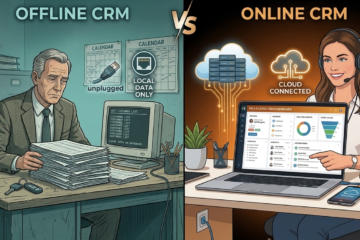
An offline CRM is a customer relationship management system that allows users to view, update and manage customer information without an active internet connection. Once connectivity is restored, the system automatically synchronizes changes with the central database.
That is why offline CRM software has become an important tool for modern sales organizations. The right solution enables salespeople to access customer records, update leads, manage follow-ups, and keep sales activities moving without depending entirely on continuous internet access.
Choosing the Best CRM for your sales team, is therefore, is not just about comparing feature list. Businesses should evaluate offline functionality, synchronization capabilities, usability, security, reporting, automation and scalability.
Why Businesses Need an Offline CRM

Modern sales operations generate large amounts of customer and lead information. Without a centralized CRM system, sales representatives often rely on spreadsheets, notebooks, messaging applications, or disconnected databases.
This creates several problems:
- Leads may be forgotten or duplicated.
- Follow-ups may happen late.
- Customer information becomes difficult to locate.
- Managers have limited visibility into sales activities.
- Field teams may struggle when internet connectivity is unavailable.
- Important customer updates may remain trapped on individual devices.
Many field sales professionals spend a significant portion of their working hours outside traditional office environments. In such situations, access to customer information should not depend entirely on network availability.
An offline CRM addresses these challenges by keeping essential customer and sales information accessible even when representatives are disconnected.
For small and growing businesses, offline CRM software can help establish structured sales processes while supporting teams that frequently work outside the office.

What to Look for in an Offline CRM
1. Reliable Offline Access
Offline functionality should be more than simply viewing previously saved information. Sales representatives should be able to access customer records, update lead information, create tasks, record meetings, and log activities while disconnected.
The system should automatically synchronize these updates changes when connectivity is restored.
2. Lead and Pipeline Management
A strong Lead management CRM should make it easy to capture leads, categorize prospects, assign ownership, track stages, and identify opportunities that require immediate attention.
Offline updates should flow back into the central system after synchronization, ensuring managers have an accurate view of the sales pipeline.
3. Follow-Up Management
Missed follow-ups directly affect conversion rates. Look for a CRM that helps salespeople record calls, meetings, tasks, reminders, and next actions.
For field teams, this becomes especially important because customer interactions often happen away from the office.
4. Data Synchronization
Synchronization is one of the most important features of an offline CRM. A good solution should minimize conflicts and ensure that offline changes are safely updated when the device reconnects.
A reliable platform should:
- Automatically sync changes when connectivity returns.
- Minimize duplicate records.
- Handle conflicting updates effectively.
- Support background synchronization.
- Protect data if synchronization is interrupted.
Understanding how a CRM manages these situations can help prevent data loss and reporting inaccuracies.
5. Mobile Accessibility
Since offline CRM functionality is primarily used by field teams, mobile access is essential.
The CRM should provide a consistent experience across smartphones, tablets, and desktops, allowing users to manage customer information from anywhere.
6. Reporting and Analytics
Managers need visibility into sales performance regardless of where their teams operate.
Look for reporting capabilities that provide insights into:
- Pipeline progress
- Lead conversion rates
- Sales activities
- Follow-up performance
- Team productivity
Accurate reporting helps managers identify bottlenecks and make better business decisions.
7. Security and Data Protection
Customer information is a valuable business asset. An offline CRM should provide
- Role-based access controls
- User authentication
- Secure data storage
- Backup and recovery capabilities
- Protection for information stored on mobile devices
Security should remain a priority even when employees are working remotely.
Offline CRM Use Cases Across Industries
An offline CRM can benefit many types of organizations.
Field sales: Representatives can review customer information, update opportunities and record visits notes even in locations with unreliable connectivity.
Distribution: Salespeople can maintain customer and order-related information while visiting retailers and distributors.
Manufacturing: Sales teams visiting industrial customers can update opportunities without depending on office connectivity.
Professional services: Consultants and account managers can maintain customer information while traveling between client locations.
Growing businesses: Smaller companies can establish structured sales processes without creating complicated administrative workflows.
This makes an offline CRM a practical form of Business growth software for organizations where mobility and continuity are essential.
How HelloLeads CRM Helps Sales Teams
HelloLeads CRM helps businesses organize leads, sales activities, customer relationships, and team performance within a centralized platform.
For sales teams that need mobility and continuity, HelloLeads CRM can support the core activities required to maintain an organized sales process.

Generate and Capture Leads
Sales teams can organize incoming prospects and maintain structured lead information instead of relying on scattered spreadsheets or personal notes.
Track Leads and Pipelines
A centralized pipeline helps representatives understand where every prospect stands. Sales managers can gain greater visibility into opportunities, priorities, and movement through different stages.
Manage Follow-Ups
Salespeople can organize follow-up activities and reminders so that opportunities receive attention at the right time. This helps reduce the risk of leads being forgotten after an initial interaction.
Strengthen Customer Relationships
A CRM creates a centralized customer history, allowing salespeople to understand previous interactions and provide more consistent communication.
Improve Team Collaboration
When sales information is centralized, team members and managers can work from shared information rather than maintaining separate records. This becomes increasingly important as teams grow.
Track Sales Performance
Managers can monitor sales activities and pipeline progress to identify bottlenecks, understand team productivity, and make better decisions based on sales data.
Scale With Business Growth
The right CRM should remain useful as a company expands. A scalable platform that can support additional leads, customers, representatives, territories, and increasingly structured sales processes without forcing teams to rebuild their workflow.
For businesses evaluating Customer management software globally, the key is to choose a solution that combines usability with the capabilities needed for consistent sales execution.
Practical Checklist Before Choosing an Offline CRM
Before selecting a CRM platform, ask the following questions:
- Can salespeople access essential customer information offline?
- Can they create or update leads without connectivity?
- Hw does automatic synchronization work?
- Cn the CRM manage follow-ups and sales pipelines?
- I customer data protected on mobile devices?
- Cn managers monitor sales performance?
- I the platform simple enough for field teams to adopt?
- Cn it scale as the sales organization grows?
- Des it integrate with the team’s existing workflow?
- Des its pricing provide a reasonable return on investment?
The best CRM is not necessarily the one with the most features. It is the one that salespeople will consistently use and that management can rely on for accurate business information.
Conclusion
Choosing an offline CRM requires businesses to look beyond basic contact management. The ideal solution should keep sales teams productive when connectivity is unavailable while ensuring that customer information is accurately synchronized once internet access is restored.
For organizations with field representatives, distributed teams, or customers across multiple regions, offline CRM software can improve lead management, strengthen customer relationships, enhance follow-up discipline, and increase sales visibility.
Before making a decision, evaluate how effectively the CRM supports your team’s daily workflow, especially when internet connectivity is limited. A well-designed offline CRM can provide the foundation for more efficient sales operations and sustainable business growth.